Design once. Export twice.
Your app writes HTML & CSS — Maravilla renders it into a crisp PDF and a real MP4 video.
 Kitchen Sink 1/12
Design once. Export twice.
Why this matters
What you just saw
This editor is just a web page. Everything you see — text, image, motion — is ordinary HTML and CSS, animated with the @maravilla-labs/frames library. Maravilla turns that exact page into a print-ready PDF and a real MP4 video.
How it works
Your app renders HTML like it always does; Frames describes the animation timeline in code. The design lives as data in KV, the platform’s headless browser prints the page to PDF, the Frames renderer plays the timeline frame-by-frame in the cloud into an MP4, and both land in storage behind a public URL. No canvas hacks, no screen recording.
The bigger picture
HTML and CSS are the design tool every developer already masters. When PDF and video are first-class outputs of the web stack, one template becomes invoices and pitch decks, personalized onboarding videos, social reels from user content, animated year-in-review stories, certificates, reports — anything your app can render, it can ship in print or motion.
Why Maravilla
Elsewhere this means After Effects, a Remotion render cluster, or a per-export PDF SaaS. On Maravilla, PDF and video are platform calls over the HTML you already have — one design system, every output format, no render farm.
Permissions that know relationships.
A parent sees their child’s records; a doctor sees only their patients — enforced by the platform, not by your code.
Kitchen Sink 2/12Spinning up your private demo
Creating a private demo family…
Real users, real relationships, real policies — created just for you. No login.
Permissions that know relationships.
Why this matters
What you just saw
Access that understands people, not just logins. A parent automatically sees their own child’s records; a doctor sees only their patients — and nobody had to write those checks by hand.
How it works
You describe the relationships (parent→child, doctor→patient) and a policy once — real users in Maravilla auth, real edges in the relations graph. The platform database enforces the policy on every read and write, so a forgotten check can’t leak data.
The bigger picture
Most systems stop at fixed roles — admin, member, viewer. Real life is a social graph. Build a health app where guardians see their kids’ records, a classroom where teachers see their students’ work, a marketplace where agents act for their clients, a family vault, a team wiki with per-project trust — any app where “who can see what” follows relationships, not job titles. Every new feature inherits the graph’s rules automatically.
Why Maravilla
The usual way is hand-written permission checks in every endpoint — the #1 source of data-leak bugs. Maravilla makes relationship-aware permissions a platform primitive, enforced at the data layer.
Fill it. Sign it. Done.
Fill a Word certificate, sign it, add a QR — get a finished, verifiable PDF in seconds.
Kitchen Sink 3/12Preparing…
Filling a real Word template, then converting with the Media transform API.
Fill it. Sign it. Done.
Why this matters
What you just saw
Digitalize the paperwork you already have. Take an ordinary Word or LibreOffice document, write {NAME}-style fields into it, and upload it — the demo detects the fields and builds the form automatically. Fill, sign, stamp a QR, and out comes a finished, verifiable PDF.
How it works
Your existing .docx stays the template — uploaded straight into storage, no rebuilding in some proprietary designer. Media transforms detect the {fields}, merge your data (text, signature images, generated QR codes) and convert to PDF, while KV tracks each job so the card survives a reload. Try it: add a new {FIELD} to the doc, re-upload, and watch the form grow a matching input.
The bigger picture
Every organisation already owns its documents — certificates, contracts, applications, permits, invoices — usually as Word files somebody fills by hand. If your app can turn those exact files into automated, verifiable output, you can digitalize any existing process without asking anyone to change their templates.
Why Maravilla
Doc-field detection, template merge, image and QR stamping, and PDF conversion are all platform calls in the same stack as your app, your data, and your storage — no template SaaS, no PDF API, no glue code between them. That end-to-end chain inside one runtime is something only Maravilla does.
A board everyone sees.
Move a sticky note here — watch it move on your phone at the same instant.
Kitchen Sink 4/12Board is empty — add a note.
A board everyone sees.
Why this matters
What you just saw
This board is two platform calls: publish a change, subscribe to a channel. Move a sticky note on your laptop and it moves on your phone — and everyone else’s — at the same instant.
How it works
Realtime pub/sub broadcasts each change the moment it happens, and KV stores the board state so anyone joining later loads the current picture instantly. No websocket servers, no reconnection logic in your code.
The bigger picture
Anything becomes multiplayer with the same two calls: live dashboards and ops rooms, kanban and planning boards, collaborative editors, shared shopping carts, auctions and live bidding, classroom quizzes, game lobbies, IoT status walls. It’s what makes a product feel alive instead of needing a refresh.
Why Maravilla
Doing this yourself means standing up websocket infrastructure, presence tracking and reconnection logic. Maravilla ships realtime as a built-in primitive — you just publish and subscribe from the same runtime that serves your app.
Record like a studio.
Screen + webcam + mic → a cinematic clip: animated intro, name strap, a Loom-style webcam bubble, outro.
Kitchen Sink 5/12Record like a studio.
Why this matters
What you just saw
Real footage plus your design, assembled in the cloud. The browser records screen, webcam and mic with plain web APIs; the intro, name strap, webcam bubble and outro are just HTML and CSS — and Maravilla composites them into one finished MP4.
How it works
The recordings upload to storage, media transcode normalizes them, and Frames renders your HTML composition — with the real footage playing inside it — frame by frame into a single MP4. The editing IS your markup: change the CSS, change the film.
The bigger picture
Any app can produce finished video from user recordings: sales and support replies with automatic branding, course platforms that turn a teacher’s take into a produced lesson, testimonial collectors that ship social-ready clips, HR tools that package video intros — recorded by users, edited by your code.
Why Maravilla
The common path is a video-editing SaaS and a per-minute processing meter. On Maravilla, capture, transcode and HTML-based compositing are platform calls in your own stack — your branding as CSS, your infra, no meter.
Any page → Markdown.
Paste a URL — a workflow screenshots it and hands back clean, copy-paste Markdown.
Kitchen Sink 6/12Any page → Markdown.
Why this matters
What you just saw
Any web page, turned into clean text an AI can actually read. Paste a URL and a durable workflow screenshots the page, captures the fully rendered DOM — modern JS apps included — and hands back tidy Markdown.
How it works
A durable workflow drives a real browser to the page: full-page screenshot, then the hydrated HTML (so single-page apps that look empty to a plain fetch come back complete), then a conversion to clean Markdown — every artifact saved to storage, progress tracked in KV, each step retried and resumable because it’s a workflow.
The bigger picture
Clean structured text plus a screenshot is the fuel for anything that reads the web: RAG pipelines and agent tools, “import from any site” onboarding, competitive and price monitoring, research archives, link previews, compliance snapshots. Raw HTML chokes an LLM; Markdown doesn’t.
Why Maravilla
Otherwise you’re running headless Chrome fleets yourself or renting a scraping API. Maravilla gives you real browser capture, SPA-aware extraction and multi-step durable workflows as built-ins — “read this website” is one call in the same stack as your app.
Give your app to ChatGPT.
Build an event, then drive it from ChatGPT or Claude — the agent runs your tools and renders your UI right inside the chat.
Kitchen Sink 7/12Give your app to ChatGPT.
Why this matters
What you just saw
This little event app is also an MCP server. Build an event here — tiers, tickets, a promo reel — then connect it to ChatGPT or Claude. The agent lists and creates events, issues QR tickets and renders the promo video by calling your tools, and each result shows up as a designed mini-app right inside the chat — not a wall of JSON. Trigger a render from the chat and watch it appear live on this page.
How it works
An `mcp/` folder turns the app into a Model Context Protocol server at /_mcp. Each tool runs as the signed-in user against the platform database; tool results link to a UI template that the platform serves as a self-contained widget (the MCP Apps standard), so the same mini-app renders in both ChatGPT and Claude. The widget frames a real, token-authorized page from this app, which live-updates over realtime as the cloud render completes.
The bigger picture
AI agents are becoming a primary way people use software. When your app is an MCP server, every feature you already built becomes something an assistant can do on the user’s behalf — book, draft, look up, generate — and your own branded UI renders inside the conversation. It’s a new front door to your product that you get almost for free.
Why Maravilla
Normally exposing an app to agents means hand-building an OAuth server, a tool protocol, a hosting story and per-client UI. On Maravilla the MCP server, its OAuth login, the scoped database access and the in-chat UI are all platform primitives in the same app — you write tools, not infrastructure.
Find the face. Crop it everywhere.
Upload a photo or take one now — the crop stays locked on the face, from an avatar circle to a banner.
Kitchen Sink 8/12Find the face. Crop it everywhere.
Upload a photo or take one now — Maravilla detects the face and centers every crop on it, so nothing ever gets sliced off.
Only you can see this — your photo is scoped to your own visitor session.
Find the face. Crop it everywhere.
Why this matters
What you just saw
A naive crop is a coin flip — center-crop a portrait into a wide banner and the face is gone. Here the platform finds the face first, remembers where it is, and every crop — avatar, portrait post, story, banner — is cut around that same point.
How it works
A durable workflow dispatches detectFaces on your photo, which detects faces and stores a single normalized focal point; then it dispatches a resize job with crop:"focal" per target size in parallel, each cutting exactly to that size around the focal point instead of the frame’s geometric middle. The workflow waits on each background job and republishes progress, so a reload reconnects mid-run.
The bigger picture
Every app that accepts user photos — profile avatars, marketplace listings, team pages, social apps, CMS hero images — needs the same shot to work as a tiny circle and a wide banner. Without this, either a person designs every crop by hand or an algorithm slices off half a face.
Why Maravilla
Elsewhere this is a third-party vision API plus your own crop math glued on after. On Maravilla, face detection and focal-aware cropping are one platform primitive — call detect once, then resize into as many shapes as your app needs, all consistent.
Sound like a studio.
A noisy kitchen take becomes a clean podcast voice, an AM radio or a stadium PA. Switch while it plays.
Kitchen Sink 9/12Levelled, warm, compressed. Podcast-ready. Switch while it plays — the change is instant.
The export uses the same audio processing as this preview.
Sound like a studio.
Why this matters
What you just saw
One recording, many voices. The sample was recorded next to a humming fridge; noise removal takes the hum and hiss out, and a voice preset reshapes the sound: levelled studio warmth, band-limited radio, echoing stadium speakers, a deeper announcer. Hold the button to hear the untouched original, then export the result as an MP4.
How it works
The take is an audio track on a Frames timeline carrying two settings: RNNoise noise removal and an ordered chain of effect stages (level, filters, EQ, compressor, drive, echo, pitch, limiter). In the browser a WebAssembly build of the audio engine runs the chain live, so switching a voice mid-playback is instant. The export sends the same timeline to the render service, which runs the same engine natively and mixes it into the video. The progress bar is pushed over realtime.
The bigger picture
Every app that records people (podcasts, course videos, voice notes, interviews, support recordings) fights the same bad microphones and noisy rooms. Cleaning audio usually means a desktop editor or a paid API, and the preview never quite matches what you ship.
Why Maravilla
The preview and the export run one audio engine, so what you hear is what you get. Noise removal, the effect chain and the video render are platform primitives, with no audio SaaS, no ffmpeg servers and no second pipeline to keep in sync.
Your logo on everything.
Drop in a photo or a clip and it comes back branded, with your logo and a line of text stamped on.
Kitchen Sink 10/12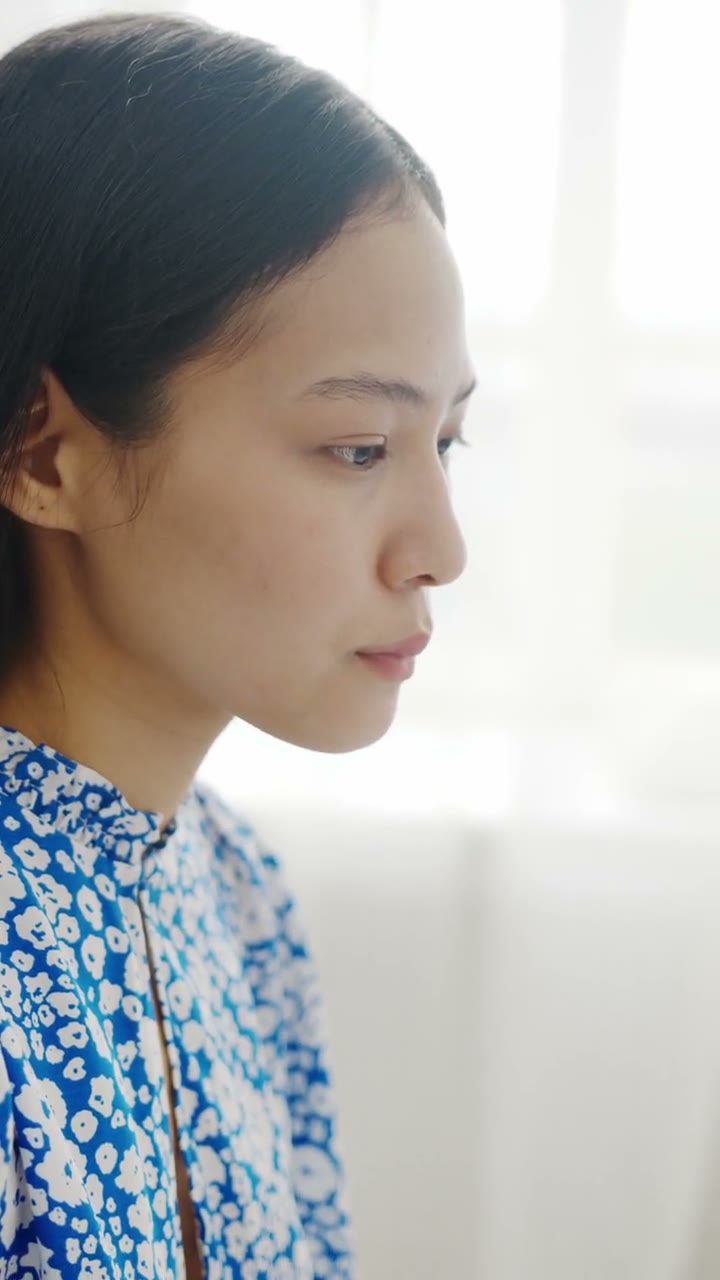
 © Kitchen Sink Studio
Stamp onto
Logo
Text
Corner
Your logo on everything.
Why this matters
What you just saw
Every picture and video that leaves your app can carry your brand. Pick a logo, a line of text, a corner and an opacity; the platform stamps it onto the photo, or onto every frame of a video with its sound kept. Drag across the photo to compare the original with the stamped copy.
How it works
The card starts a durable workflow that calls the watermark transform on the stored photo or clip. The workflow parks until the transform reports back, copies the result to a public URL and pushes it to your browser over realtime. The mark is sized to the picture, so one set of settings reads the same on a thumbnail and a 4K frame, and the text uses a bundled font, so it renders the same in development and production.
The bigger picture
Marketplaces, photo booths, event apps, real-estate listings, stock libraries and user-generated video all need the same thing: every upload branded, consistently, without a designer in the loop. Usually that means an image pipeline for photos and a separate ffmpeg job for video.
Why Maravilla
Photos and videos go through the same one-line transform, running on the platform next to your storage. There are no image servers to run, no ffmpeg builds, and no third-party media API to pay for or keep in sync.
Go offline. Miss nothing.
A live room that catches you up. Drop off the network, come back, and every message you missed is replayed in order.
Kitchen Sink 11/12The room is quiet. Say something, or go offline and see what you miss.
Here now · 0
Go offline. Miss nothing.
Why this matters
What you just saw
A group chat that behaves like the good ones. Press “Go offline for 10 s”: your tab drops its connection while the others keep talking. When you come back, the messages you missed are replayed in order, highlighted, and nothing is duplicated. Open the room on your phone and you both see who is here right now.
How it works
The room is a realtime channel with history turned on in the app config, so the platform keeps a trimmed tail of every message. Where the runtime can mint them, the channel is private: the server hands each device a short-lived token. On reconnect the device subscribes with the last sequence number it saw, and the platform replays the gap before the live stream resumes. Presence tracks who is connected. The friends are a durable workflow that keeps posting whether anyone is listening.
The bigger picture
Every collaborative product (chat, support inboxes, trading screens, dispatch boards, multiplayer anything) breaks the same way: a phone in a tunnel, a laptop waking from sleep, a flaky café Wi-Fi. Without catch-up, users silently miss updates and trust the app less.
Why Maravilla
Normally that means a message broker plus your own persistence, sequence numbers and replay logic. On Maravilla, history, catch-up, private-channel tokens and presence are built into the same realtime service your app already uses. You turn history on with one line of config.
Set it. It shows up.
Real notifications on your phone and laptop, sent now, in 30 seconds or every minute, with a receipt for each one.
Kitchen Sink 12/121 · This device
2 · The notification
3 · Receipts
Nothing sent yet.
Set it. It shows up.
Why this matters
What you just saw
The notifications that show up even when the tab is closed. Allow them once, write a message, and send it now or schedule it: in 30 seconds, in two minutes, or every minute until you cancel. Scan the code to add your phone, and both devices get it. The receipts say when each one went out and how many devices it reached.
How it works
One call in the browser registers the device: the platform serves the service worker, holds the VAPID keys, encrypts the payload and stores the subscription against this visitor. The server either sends straight away, which returns a per-device delivery report, or schedules the notification with an idempotency key, optionally repeating on an interval. The card reads the job back when it is due to show when it fired and how many attempts it took.
The bigger picture
Reminders, order updates, digests, “your export is ready”, waitlists, event alerts: push is how an app earns a second visit. Building it usually means VAPID keys, a service worker, a subscriptions table, an encryption library and a cron job to send the scheduled ones.
Why Maravilla
On Maravilla, push is a platform service. There are no keys to generate, no service worker to write and no scheduler to run, and it works for signed-in users and anonymous visitors alike. Scheduling is idempotent by key, so rescheduling on every save simply replaces the pending job.